MOTRA - Design and Build customized industrial Testbeds
A short introduction to the MOTRA testbed and a collection of links and publication history.
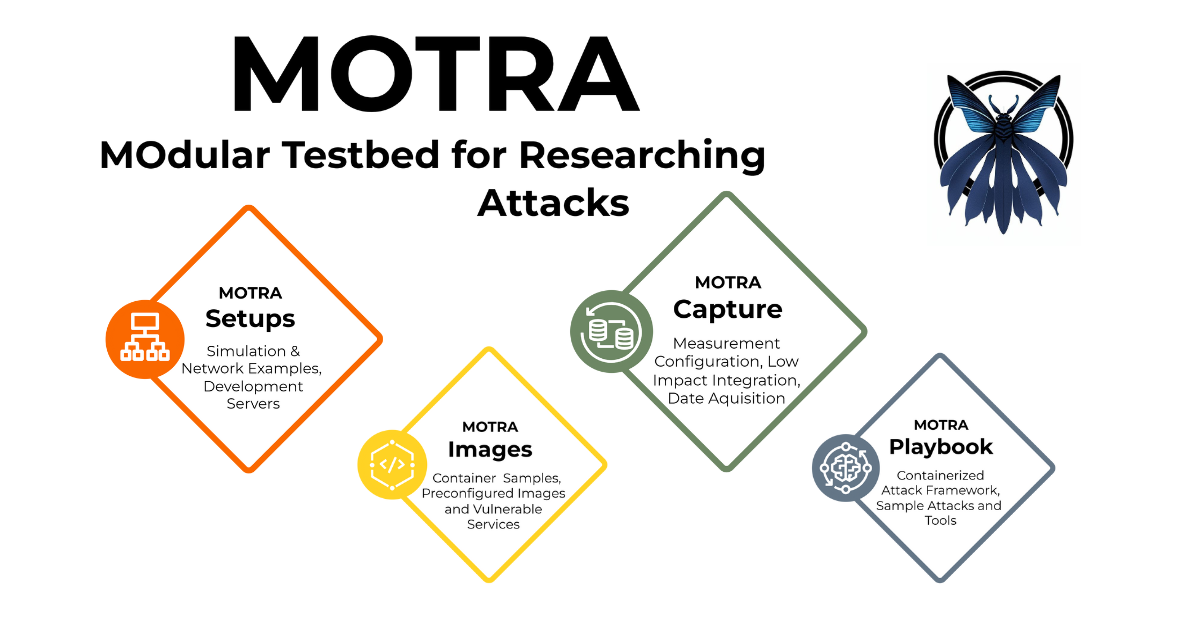
MOTRA is a flexible framework for creating testbeds tailored to the user’s needs.
Its main features are its modularity and extensibility through packaging testbed components as containerized applications. Docker is the containerization solution of choice. This repository contains the sources for all available images on Docker Hub. There is a companion repository available that contains ready-to-use testbed setups that use these images.
Checkout our examples and images over at GitHub for more information.
The MOTRA core components
Currently there are four main components to our testbed, which can be used to create a working testbed with automated data capturing. The different components are used to create a simple and recreatable environment for testing and verification of vulnerabilities and pentests. Therefore, we offer different tools, images, and instructions for different aspects of the testing process.
One major goal of our testbed design is the creation of datasets for our current work on intrusion detection. This requires us to build a working testbed prototype to mimic other, preferably industrial, devices (in our case OPC UA-focused) and to create a virtual adversary to use for testing. Finally, we need to have a single entity inside the network to capture data and monitor/instruct the data generation process.
MOTRA-Images - The Base Layer
The image repository is the main starting point to build a working setup for testing.
This part of the tooling covers our so-called blueprints. Images that contain reference implementations that can be used to create vulnerable applications or implementations that can be used in combination with other services to mimic an industrial application. More complex devices can be created by mixing and connecting resources at the container level to allow for interaction between image instances.
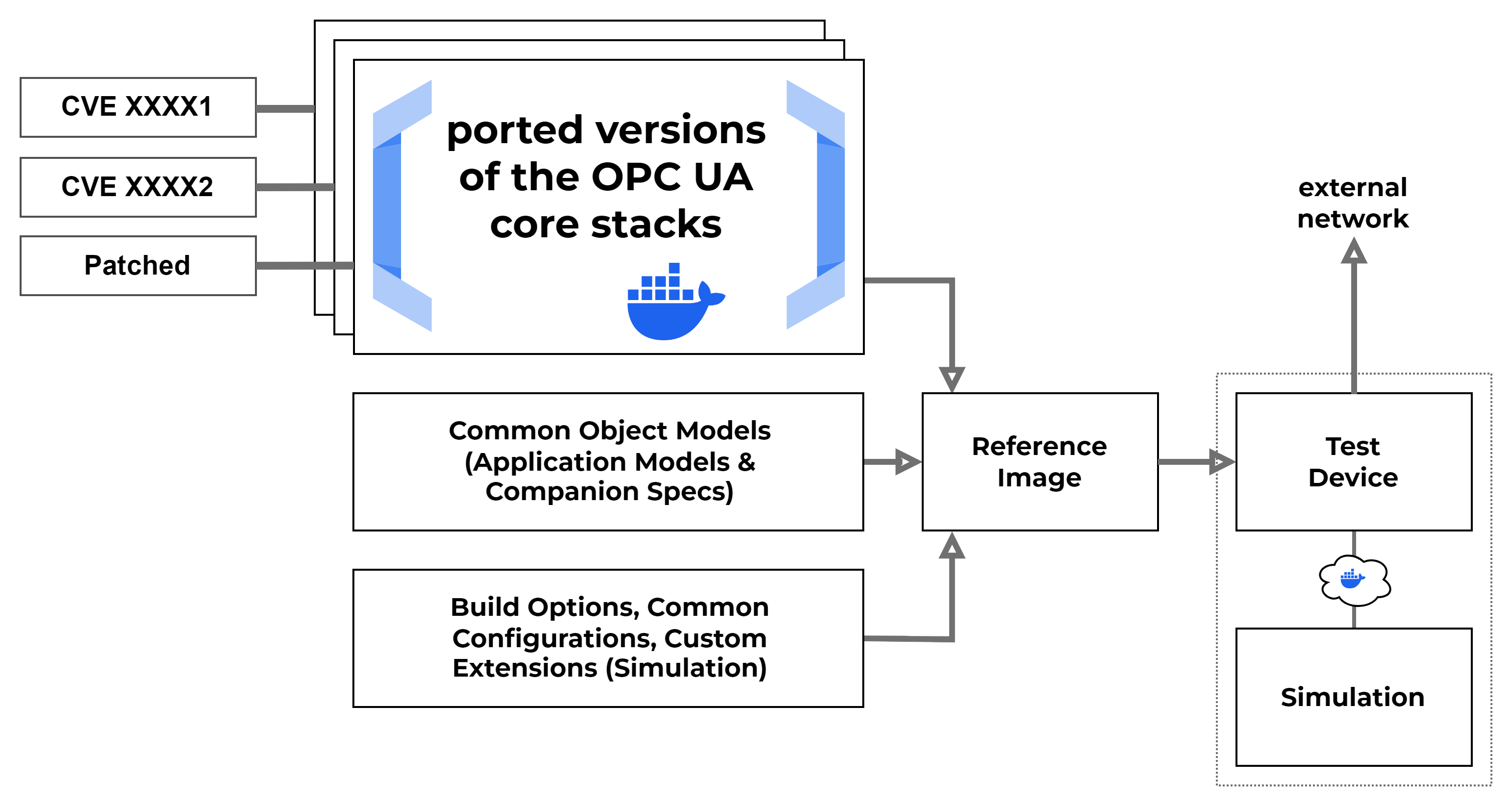
When using these images, our initial goal was to build a setup allowing us to switch different implementation types of servers when working with OPC UA stacks. This allowed us to create servers that were nearly identical in behaviour, but allowed us to test different vulnerabilities by switching server instances. From there we went on with adding other container implementations and started to build a setup that could be used to create more complex applications.
MOTRA-Setups - The Configuration Layer
The setup repository shows how the current image layers can be used for testing and setting up different devices. The current implementation contains a simple setup for mimicking a water treatment process that serves as an introduction to the framework. This process uses a simple simulation and a fixed number of devices to run a virtualized setup using three OPC UA servers, two clients, and additional logic for the simulation. The current examples for the setup instructions include a configuration that allows running a number of virtual devices on custom hardware like a Raspberry PI (4/5).
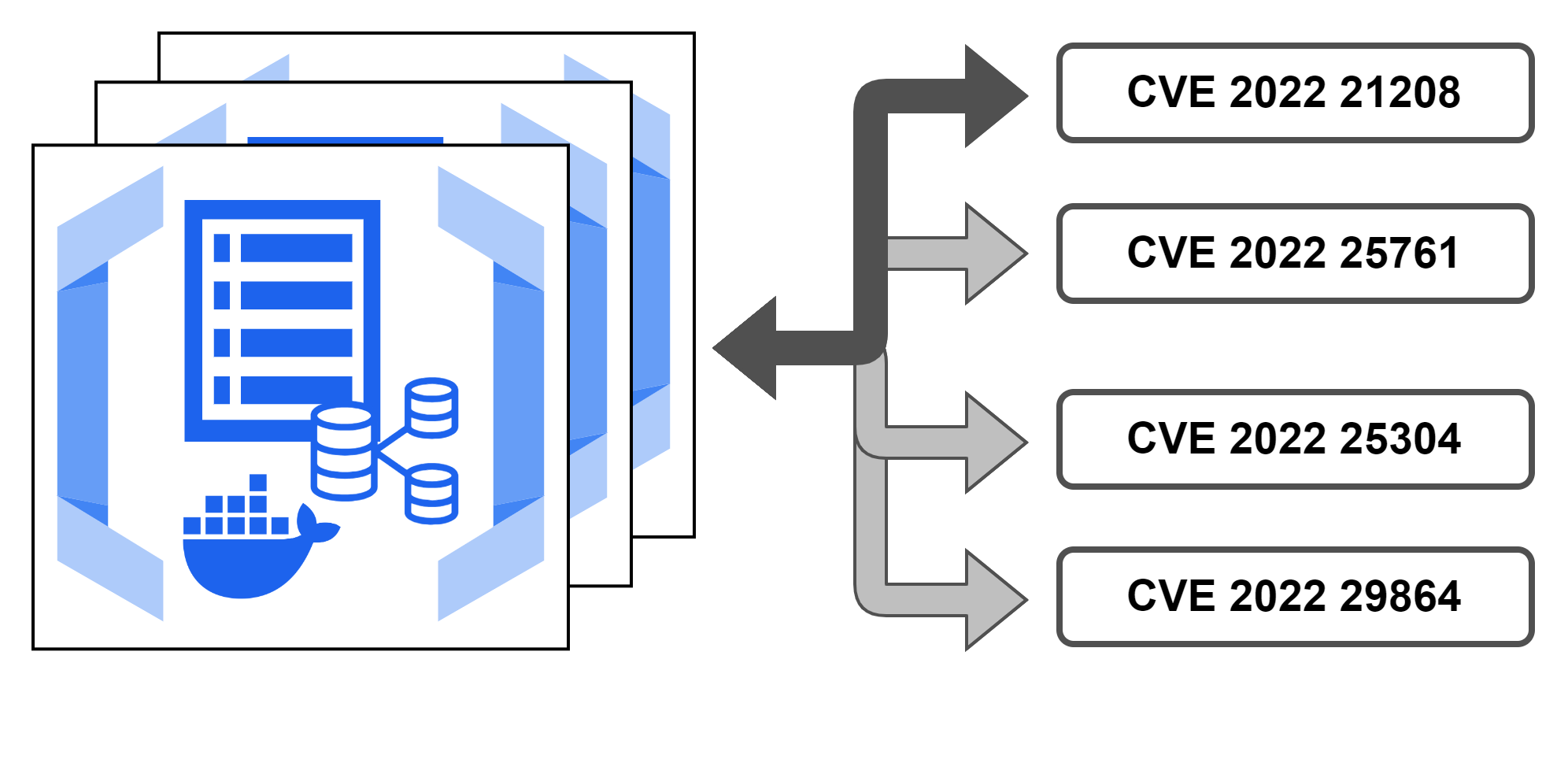
When starting to build MOTRA, we created a number of different OPC UA server implementations that could be extended using our model files to run different server versions depending on the configured target inside each Dockerfile or the compose configuration. This way we can dynamically switch what type of OPC UA server we want to test and if we intend to include vulnerabilities in the current build.
A nice feature of using Docker Compose as a testbed orchestration service is the ability to parse files from remote repositories. By default all of our resources for building a testbed would need to be installed locally and had to be updated manually every time we need to change parts of the core implementation or the simulation logic.
This way we only need to pass compose a valid repository and the builder can pull data live from the repository, when starting our services. If we have a working Git server inside the testbed, we can use a single configuration file to create our devices and handle different configurations for the networked nodes inside the testbed we are configuring.
A very simple example:
1
2
3
4
5
6
7
8
9
10
11
12
13
14
15
16
17
18
19
20
21
services:
  plc-server:
    container_name: "plc-server"
    build:
      context: ${IMAGE_REPO_URL}#main:opcua/server/nodejs-node-opcua/latest
      args:
        NODESET_MODEL: "PLC.NodeSet2.xml"
      additional_contexts:
        container_context: ${IMAGE_REPO_URL}#main:opcua/server/nodejs-node-opcua/latest
        nodeset_context: ../meta/demo-nodeset2
        companion_context: [...]
  plc-historian:
    container_name: "plc-historian"
      - [...]
  plc-logic:
    container_name: "plc-logic"
      - [...]
    build:
      context: ${IMAGE_REPO_URL}#main:opcua/plc-logic/python-opcua-asyncio/latest
    networks:
      - [...]
Here we can see three services: plc-server, plc-historian and plc-logic. These are built and configured using the Docker build daemon using our current GitHub sources. Additionally, we can pass in any custom configuration at this point as well as different network configurations for testing. This way we can build different device configurations and mimic multiple services using a single configuration file and access to a local or fully remote git/svn service.
Once everything is built and set up, we can revoke access to the remote resource from the testbed or we can filter any unwanted traffic to the remote service.
MOTRA-Capture - Data Collection and Automation Tools
MOTRA Capture is available on our GitHub here.
MOTRA Capture is an automation framework that allows to create measurement configurations based on a client-server architecture that can be run inside the testbed. The goal is to automate the measurement process together with sample attacks to create clean and repetitive datasets for research purposes.
MOTRA Capture is built as a client-server application that will schedule execution payloads over the network and run said payloads based off a trigger from the server application. The main point of interest is the client application will be terminated during an active measurement. Each configuration (CapCon) for a single measurement will contain instructions on how a payload (an attack, configuration script, or measurement) needs to be run, as well as a timeout on when to restart the client application. This offers a couple of benefits for creating datasets:
- There is no network traffic between client and server during a measurement because there is no client application. All configuration data required will be shared before a measurement is started.
- The target device (client in most cases) will only be running the measurement application. This guarantees good quality traces when working on HIDS measurements for our IDS solutions.
- Metadata is shared in the form of our measurement configurations. Each measurement creates a number of files which will be collected by the server. These files serve as a reference and define how each test has been executed inside the testbed.
Therefore anyone interested should be able to repeat the basic setup of tests we are doing or extend the tests to their custom use case.
MOTRA-Playbook - Collection of Attacks and Frameworks
MOTRA Playbook is available on our GitHub here.
MOTRA Playbook is our collection of tools, packages, and usable vulnerabilities we found online during our research. We packaged all the tools into a custom container so we can run different payloads from different devices similarly. Playbook offers two types of tools: scripts and references to public repositories that are built and installed using gitman. All configuration regarding these tools can be found inside the gitman config file. All regular packages that can be obtained by using apt (or similar tools) are installed using metapackages built using equivs. The apt packages and the gitman config will be executed when starting a local Docker build; however, both configurations could be run on the command line as is. We suggest using Docker because the final image size on a typical Raspberry Pi currently exceeds 11GB of memory.
Playbook can be built from the command line using docker build or a compose file. Usage is similar to Docker one-shot containers. For the data capturing process, the current version of Playbook can also be used as a payload for MOTRA Capture to run preconfigured attacks on different targets inside the testbed.
Playbook is currently not available as a prebuilt container, since the tools and space required to build a new container image has reached the limit of our GitHub runners. Currently all builds need to be done offline.
Current Publications
Main testbed setup, usage and research directions:
S. Kraust, P. Heller and J. Mottok, “A Modular and Flexible OPC UA Testbed Prototype for Cybersecurity Research”, in proceedings of the Nineteenth International Conference on Emerging Security Information, Systems and Technologies, Barcelona, Spain ISBN: 978-1-68558-306-4, October 26, 2025 to October 30, 2025.
Design and concept for the testbed components for OPC UA and our custom components:
P. Heller, S. Kraust, J. Mottok, “Building Modular OPC UA Testbed Components for Industrial Security Pentesting”, in proceedings of 30th International Conference on Applied Electronics 2025, Pilsen, Czech Republic.
The general testbed design and research concepts:
S. Kraust, P. Heller and J. Mottok, “Concept for Designing an ICS Testbed from a Penetration Testing Perspective,” 2025 IEEE European Symposium on Security and Privacy Workshops (EuroS&PW), Venice, Italy, 2025, pp. 561-568, doi: 10.1109/EuroSPW67616.2025.00071.